

Navigating Ottawa's busy streets, from the Queensway crawl to downtown congestion, can be a daily source of stress. Before you start your engine, knowing the real-time conditions of your route is the single most effective way to avoid unexpected delays. What if you could see the road ahead before you even leave? That's the power of a live traffic cam, and this guide is built to help you master this essential tool.
This comprehensive resource curates the best platforms for viewing traffic in Ottawa and the wider National Capital Region. We've moved beyond simple links to provide a fact-checked, in-depth look at each option. You will find direct links, current screenshots, and practical analysis to help you decide which service best fits your commuting needs, whether you're crossing a downtown bridge or heading out on a provincial highway.
We'll explore official municipal and provincial systems like the City of Ottawa's map and Ontario 511, alongside powerful third-party apps. This isn't just a list; it’s a detailed playbook designed to help you strategically use real-time visual information. Learn how to choose the smartest route, make your travel time more predictable, and conquer Ottawa traffic with confidence.
1. Your Guide to the Ottawa Traffic Map
For commuters seeking a comprehensive, all-in-one resource, the Your Guide to the Ottawa Traffic Map stands out as a premier choice. It elevates the standard traffic map by integrating it into a detailed guide, providing not just real-time data but also the context needed to use that information effectively. This platform is ideal for those who want to move beyond simply viewing a live traffic cam and instead adopt a strategic approach to navigating Ottawa's complex road network.
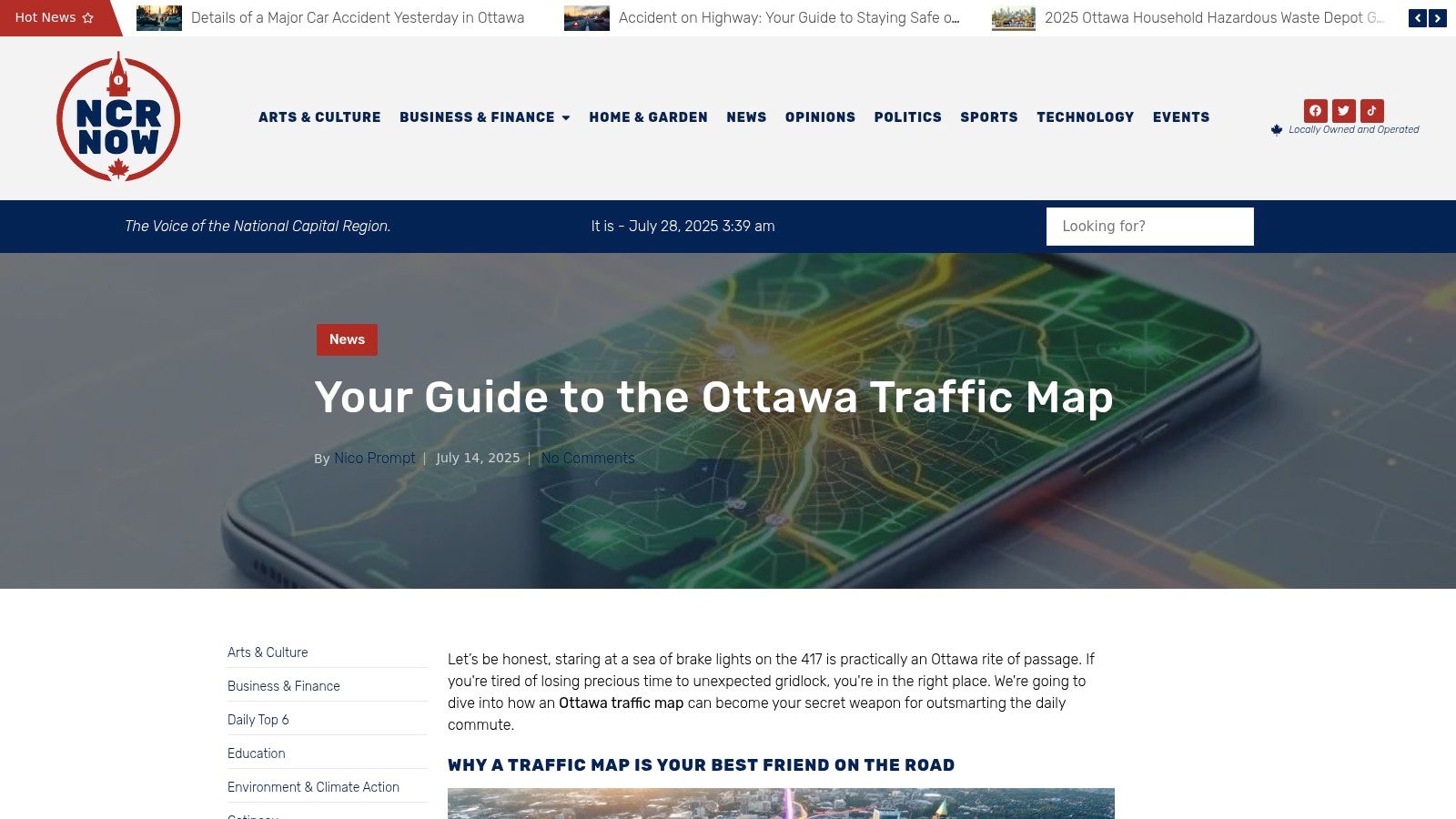
Unlike basic camera feed aggregators, this guide excels by synthesizing multiple data points, including accident alerts, congestion levels, and major slowdowns on key arteries like the Queensway (Highway 417). The visual indicators are clear and intuitive, allowing for quick assessment of traffic flow before you even start your journey.
In-Depth Analysis
What truly distinguishes this resource is its focus on proactive planning. It equips users with practical tips to interpret traffic patterns, making it a powerful tool for daily commutes, weekend travel, or navigating around major events. The platform’s analysis extends beyond immediate traffic, sometimes touching on related urban development, such as how new projects impact road access. For instance, understanding traffic disruptions is crucial, much like understanding the impact of new developments detailed in guides to Ottawa's building permits. Learn more about the city's growth by exploring information on building permits in Ottawa.
This guide is an essential tool for any driver in the National Capital Region looking to transform their commute from a source of stress into a streamlined, predictable part of their day.
| Feature Analysis | User Benefit |
|---|---|
| Real-Time Data Integration | Provides up-to-the-minute accuracy for reliable route planning. |
| Problem Area Highlighting | Enables proactive detours by flagging congestion and accidents early. |
| Intuitive Visual Interface | Simplifies complex traffic conditions for quick, at-a-glance decisions. |
| Strategic Commuting Tips | Empowers users to make smarter, data-driven travel choices. |
Website: https://ncrnow.ca/2025/07/14/ottawa-traffic-map/
2. DriveBC
While our primary focus is the National Capital Region, many Ottawa residents travel across the country for business or pleasure, making a reliable national resource invaluable. DriveBC is the official, free-to-use platform from the British Columbia Ministry of Transportation and Infrastructure. It stands out as a gold standard for provincial traffic management, offering unparalleled coverage for anyone planning a trip to or through B.C. The platform provides an extensive network of live traffic cam feeds, crucial for navigating mountain passes and unpredictable coastal weather.
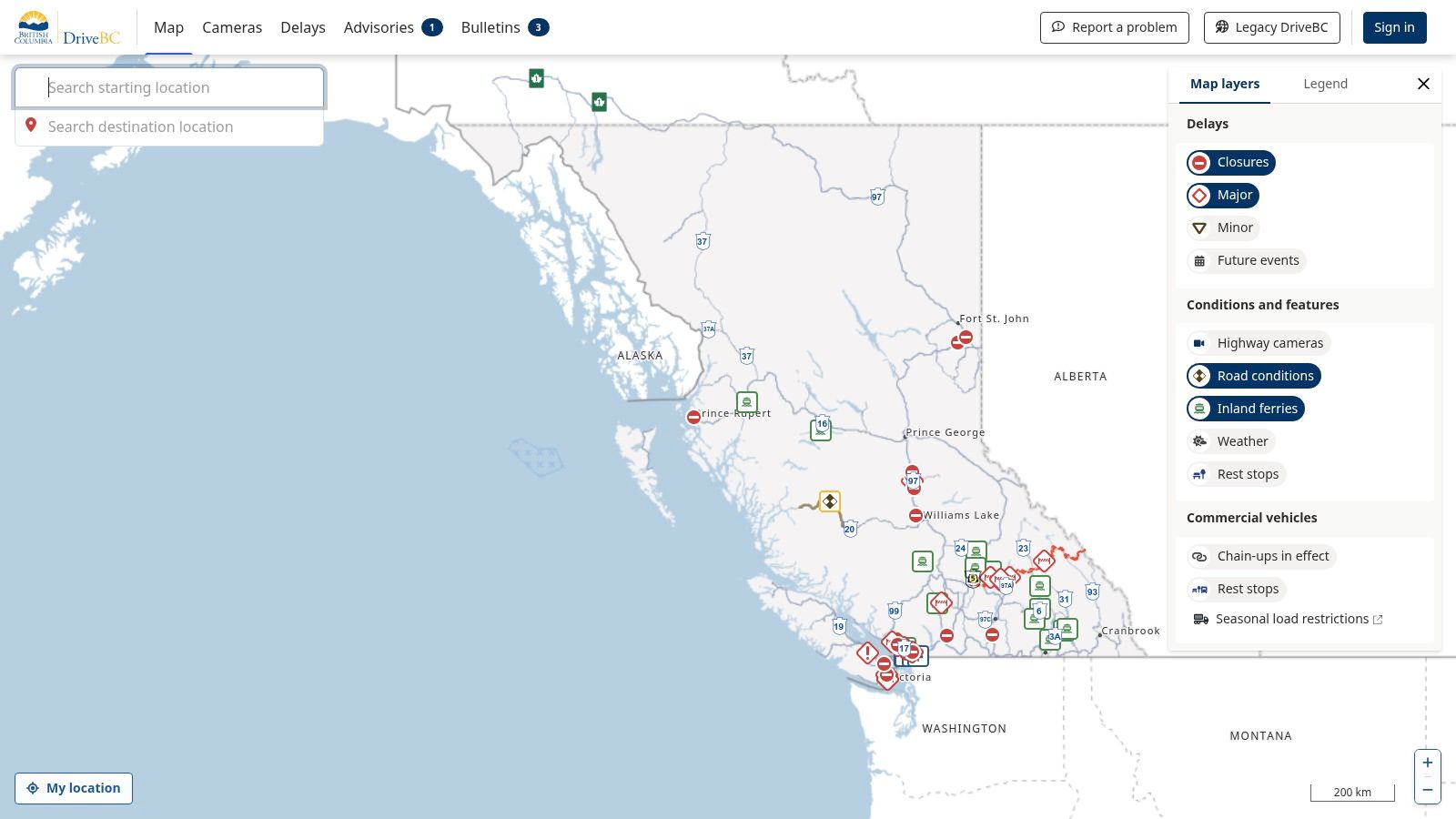
Its interactive map is a key feature, allowing users to zoom into specific highway segments and view real-time conditions, construction alerts, and even wildfire-related road closures. This makes it an essential tool for cross-country commercial drivers or families embarking on a western road trip.
Practical Tips for Using DriveBC
For Ottawa-based travellers, the best use case is pre-trip planning. Before heading west, you can check key routes like the Coquihalla Highway or Trans-Canada through the Fraser Canyon to assess conditions. The mobile-friendly design is excellent, but for detailed planning, the desktop version offers a superior overview. Although its coverage is exclusively for British Columbia, its comprehensive and government-backed accuracy makes it a noteworthy resource for any Canadian traveller.
- Website: https://drivebc.ca
- Access: Free, no account required.
- Limitation: Only covers British Columbia.
3. Ontario 511
For residents of the National Capital Region, a reliable provincial resource is essential for navigating daily commutes and regional travel. Ontario 511 is the official, free-to-use platform from the Ontario Ministry of Transportation (MTO). It serves as the authoritative source for real-time road information across the province, offering a comprehensive network of live traffic cam feeds covering major 400-series highways, including the crucial Highway 417 and 416 arteries in Ottawa.
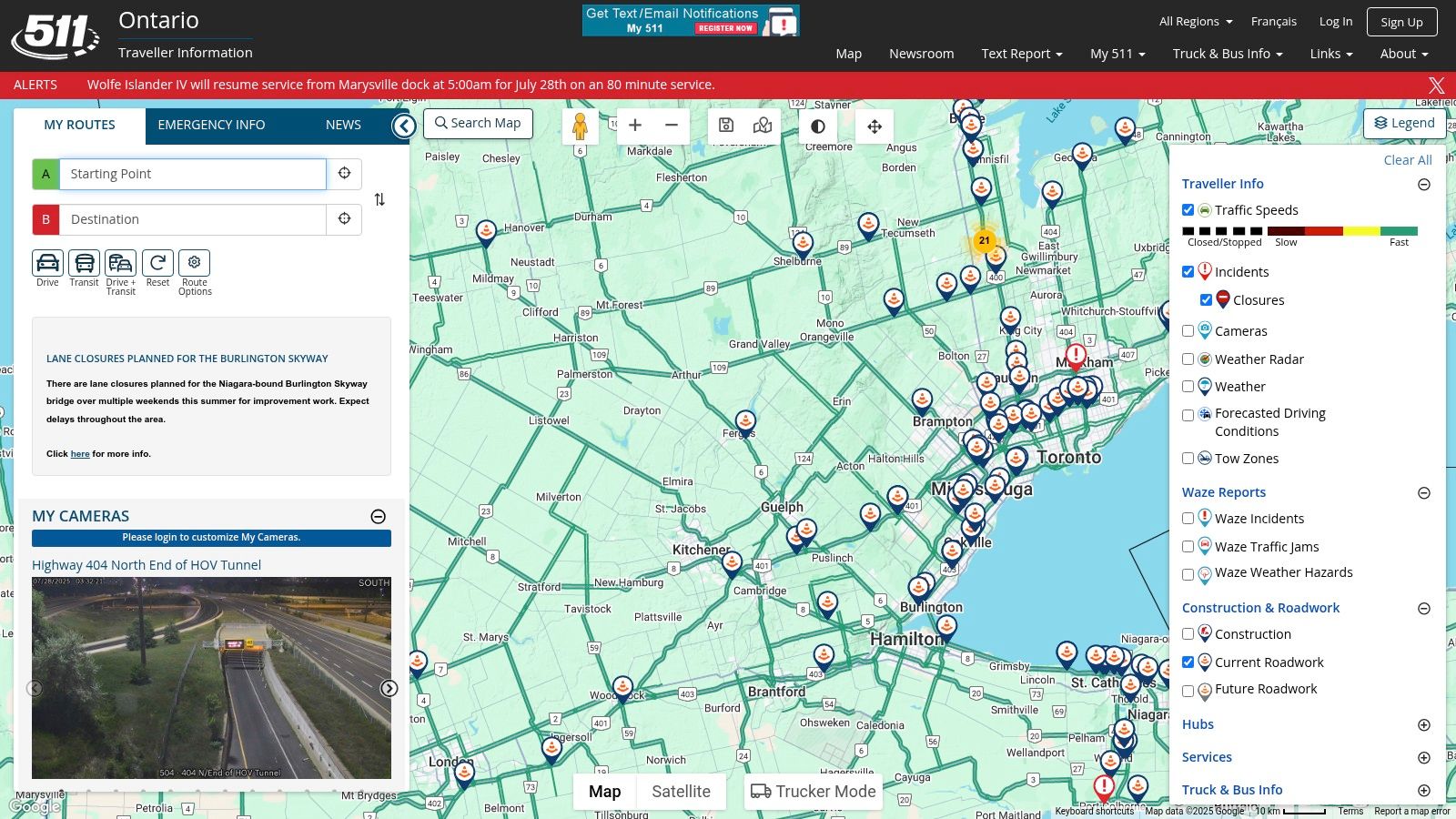
The platform's strength lies in its government-backed data, providing detailed incident reports, construction updates, and weather advisories directly from the source. Its interactive map allows users to create and save custom routes, receiving alerts specific to their travel plans. This makes it an indispensable tool for anyone travelling between Ottawa and Toronto or navigating other major provincial corridors, ensuring you have the most accurate picture of the road ahead.
Practical Tips for Using Ontario 511
The best way to use Ontario 511 is to enable its route notification feature for your daily commute. This provides proactive alerts about closures or major slowdowns. While the website is highly functional, the dedicated mobile app offers a more streamlined experience for on-the-go checks. By layering different information types like traffic cameras, construction, and incidents, you can get a complete operational picture before you even leave the house.
- Website: https://511on.ca
- Access: Free, no account required (account needed for saved routes).
- Limitation: Covers Ontario only; some rural areas have less camera coverage.
4. Québec 511
Given Ottawa’s proximity to Québec, many residents frequently cross the river for work, leisure, or travel, making a reliable Québec-focused tool essential. Québec 511 is the official, free service from the Ministère des Transports et de la Mobilité durable. It serves as the authoritative source for real-time road conditions across the province, offering extensive coverage that is particularly useful for navigating the Autoroute 50 corridor or planning trips to Montréal and beyond. The platform’s comprehensive network of live traffic cam feeds is invaluable for assessing traffic flow and weather conditions.
Its interactive map is the core feature, displaying not only camera feeds but also construction zones, road closures, and weather-related alerts. The bilingual interface (French and English) makes it accessible to everyone in the National Capital Region, ensuring clear communication regardless of language preference. This makes it a go-to resource for daily commuters and long-distance travellers alike.
Practical Tips for Using Québec 511
For Ottawa-Gatineau commuters, bookmarking the map view centred on the bridges (like Macdonald-Cartier or Champlain) provides a quick daily overview. Before a longer trip, check your entire route for alerts. The mobile-friendly site works well on the go, but be aware that some rural camera feeds may experience occasional downtime for maintenance. Its dedicated focus on Québec makes it an indispensable and accurate companion to Ontario-based services for a complete regional traffic picture.
- Website: https://511.gouv.qc.ca/en/
- Access: Free, no account required.
- Limitation: Only covers the province of Québec.
5. 511 Alberta
For Ottawa residents with family, business, or vacation plans that lead them west, 511 Alberta serves as a critical travel planning resource. As the official service from the Government of Alberta, it provides comprehensive, real-time road condition information for the entire province. This platform is particularly valuable for navigating routes affected by prairie storms or Rocky Mountain weather, offering an extensive network of live traffic cam feeds to visually verify conditions before you go.
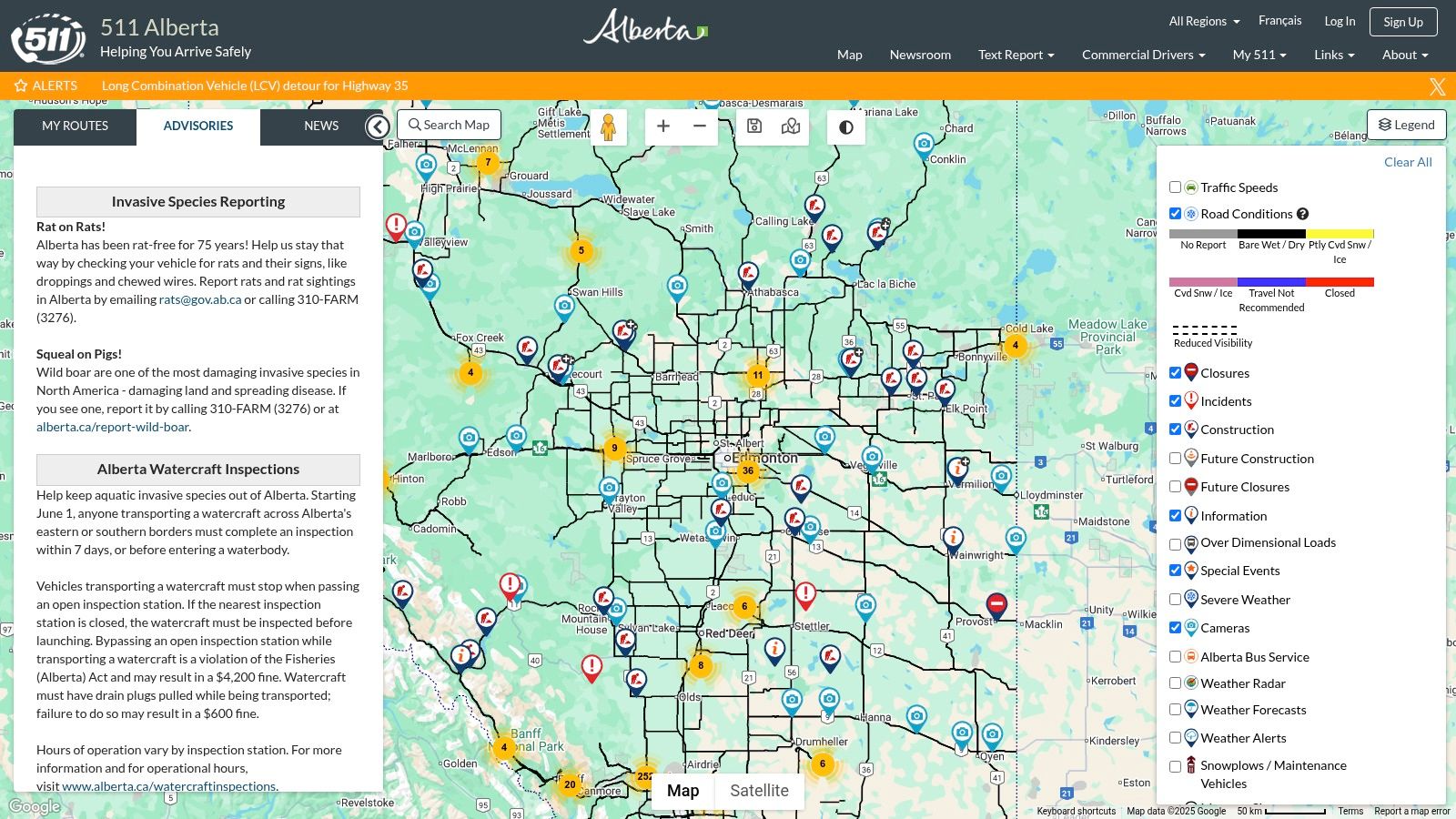
The system’s strength lies in its interactive map, which integrates camera views with layers for construction, major incidents, and weather warnings. This makes it an indispensable tool for anyone driving to or through major hubs like Calgary and Edmonton or travelling scenic routes such as the Icefields Parkway, where conditions can change rapidly. The platform’s government-backed data ensures a high level of accuracy and reliability for travel planning.
Practical Tips for Using 511 Alberta
Before embarking on a trip to Alberta, use the desktop version of 511 Alberta to get a broad overview of your intended route. You can pre-select key camera locations along Highway 1 or Highway 2 to monitor conditions in the days leading up to your departure. The platform also offers a dedicated mobile app, which is extremely useful for on-the-go updates once you are in the province. While its scope is limited to Alberta, its depth of information makes it a must-use resource.
- Website: https://511.alberta.ca
- Access: Free, no account required.
- Limitation: Only covers the province of Alberta.
6. 511 Manitoba
For Ottawa residents travelling west, particularly those driving to or through Manitoba, 511 Manitoba is an essential government-run resource. Like its provincial counterparts, this free service provides critical, real-time road information. Its strength lies in its comprehensive coverage of a province known for long, open highways and challenging winter conditions. The platform offers a robust network of live traffic cam feeds integrated into an interactive map, giving travellers a clear view of current road and weather situations.
The interactive map is the core of the service, displaying not just camera feeds but also construction alerts, road closures, and detailed weather reports. This makes it an indispensable tool for anyone planning a drive across the Prairies, from commercial truck drivers to families on a road trip. The ability to see conditions on the Trans-Canada Highway near Winnipeg or remote northern routes is invaluable for safe travel planning.
Practical Tips for Using 511 Manitoba
Before starting a westward journey from Ottawa, use 511 Manitoba to pre-plan your route through the province. The platform’s mobile-friendly design is effective for on-the-go checks, but the desktop version provides a better overview for initial planning. By checking a specific live traffic cam, you can gauge visibility and road surface conditions before you arrive. While its scope is limited to Manitoba, its reliability and official status make it a trustworthy resource for any trans-Canada traveller.
- Website: https://511mb.ca
- Access: Free, no account required.
- Limitation: Only covers Manitoba.
7. 511 Saskatchewan
For Ottawa drivers venturing into the Prairies or making the cross-country journey, 511 Saskatchewan serves as an essential, government-backed resource. Operated by the Saskatchewan Ministry of Highways, this platform provides reliable, real-time road condition information, which is critical for navigating a province known for its vast distances and severe winter weather. Similar to its provincial counterparts, it offers a comprehensive network of live traffic cam feeds, allowing travellers to visually verify conditions before heading out on major routes like the Trans-Canada Highway or the Yellowhead Highway.
The platform’s strength lies in its easy-to-use interactive map, which clearly displays camera locations, construction zones, incident reports, and even ferry statuses. The addition of weather radar overlays provides an extra layer of planning security, helping drivers anticipate challenges like snow squalls or thunderstorms. Its dedicated mobile app makes it a practical tool for on-the-go checks.
Practical Tips for Using 511 Saskatchewan
While its direct use for Ottawa commuters is non-existent, it’s invaluable for pre-trip planning for anyone driving to or through Saskatchewan. Before starting a leg of your journey through the province, use the map to check key segments for ice, snow, or construction delays. The camera images, while not full-motion video, are updated frequently and provide an accurate snapshot of the current environment.
- Website: https://511.saskatchewan.ca
- Access: Free, no account required.
- Limitation: Coverage is exclusive to Saskatchewan.
8. 511 New Brunswick
For those travelling east from Ottawa into the Maritimes, 511 New Brunswick is an indispensable government-run resource. As the official service from the Government of New Brunswick, it provides a comprehensive and reliable overview of the province's road network. Its primary strength lies in its extensive collection of live traffic cam feeds, which are crucial for monitoring conditions on key routes like the Trans-Canada Highway, especially during winter storms or peak summer travel seasons. The platform offers a clean, map-based interface that simplifies finding real-time information.
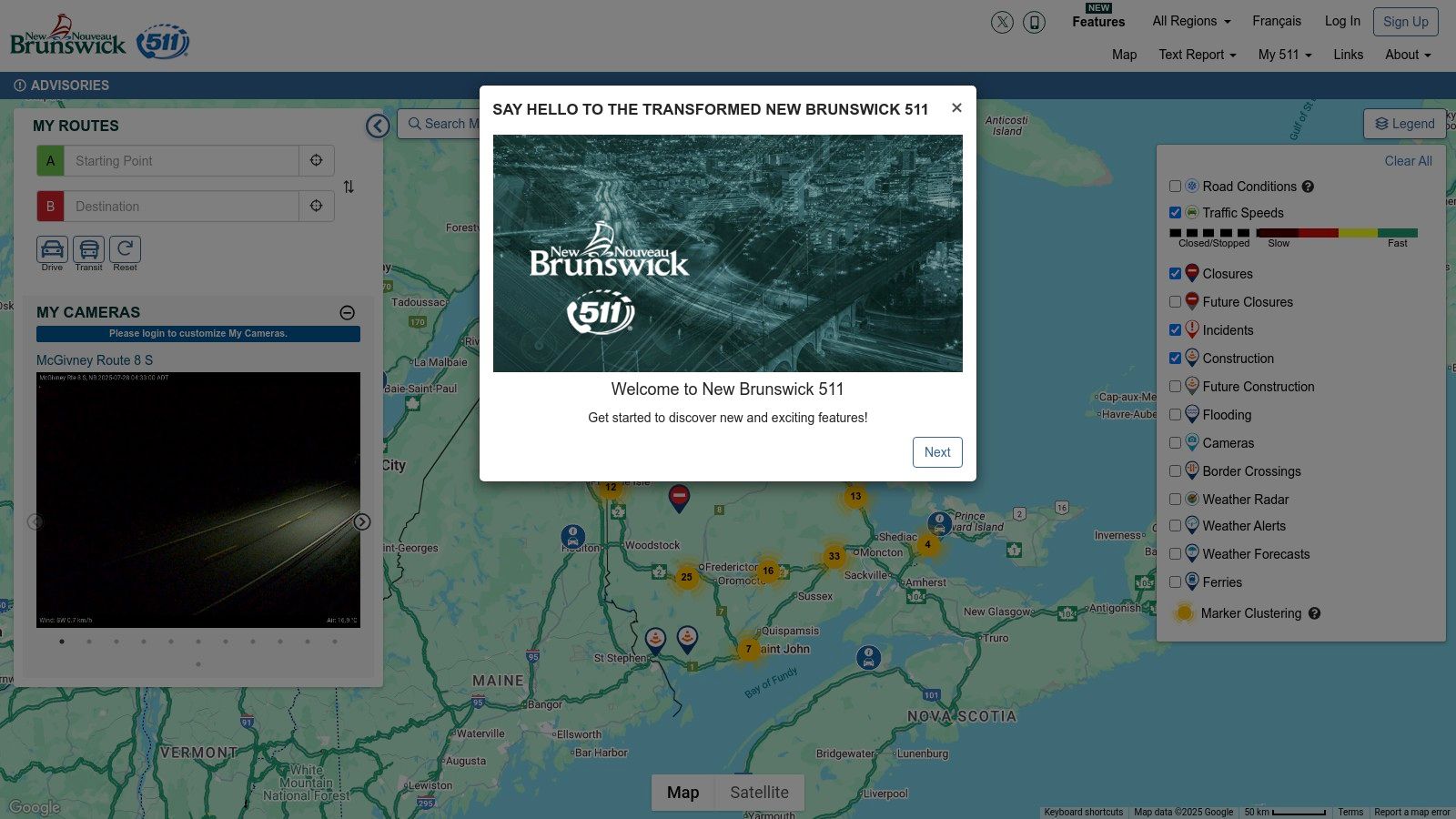
The interactive map is the core of the service, clearly plotting each live traffic cam, construction zone, and weather-related advisory. This makes it an essential tool not just for long-haul drivers, but for anyone planning a trip to destinations like Fredericton, Moncton, or the Acadian coast. The integration of detailed road and weather condition reports alongside the camera feeds gives users a complete picture of what to expect on their journey.
Practical Tips for Using 511 New Brunswick
The best use case for Ottawa residents is pre-trip planning for any travel through New Brunswick. Before you leave, check the map for conditions around major hubs like Edmundston or the Confederation Bridge approach. The site’s mobile-friendly design works well on the go, making it easy to pull up a specific live traffic cam while stopped. While its focus is solely on New Brunswick, its accuracy and detailed reporting make it a critical part of any eastward travel plan from the National Capital Region.
- Website: https://511.gnb.ca
- Access: Free, no account required.
- Limitation: Only covers New Brunswick.
9. 511 Nova Scotia
For Ottawa residents with family in the Maritimes or those planning an east coast vacation, having a reliable tool for Nova Scotia is essential. 511 Nova Scotia is the official, free service provided by the provincial government, offering a comprehensive and authoritative look at road conditions. It serves as a vital resource for navigating the province, especially given the unpredictable coastal weather that can impact travel, particularly on key routes like the Canso Causeway or highways around Halifax. The platform provides a dense network of live traffic cam feeds for real-time visual confirmation of road status.
A standout feature is its highly functional interactive map, which clearly displays camera locations, road closures, construction zones, and even ferry service updates. This integrated approach makes it an indispensable tool for anyone travelling through the province, from commercial drivers to tourists exploring the Cabot Trail. The availability of a dedicated mobile app also ensures that travellers can access critical information on the go.
Practical Tips for Using 511 Nova Scotia
The best use case for Ottawa travellers is pre-trip planning and on-the-road updates. Before driving to Cape Breton or the South Shore, you can check the live cameras to see the current weather and traffic flow. The mobile app is particularly useful for receiving alerts while travelling. While its coverage is limited to Nova Scotia, the accuracy and government-backed reliability make it a trustworthy addition to any cross-country traveller’s toolkit.
- Website: https://511.novascotia.ca
- Access: Free, no account required.
- Limitation: Only covers Nova Scotia.
10. 511 Newfoundland and Labrador
For Ottawa residents with family, business, or travel plans in Canada’s most easterly province, 511 Newfoundland and Labrador is an indispensable resource. Operated by the provincial government, this platform offers a crucial lifeline for navigating the region’s often-challenging weather and remote highways. Its strength lies in providing a comprehensive network of live traffic cam feeds, which are essential for checking conditions on routes like the Trans-Canada Highway or the Viking Trail, especially during winter storm season.
The platform’s interactive map is its central feature, clearly plotting camera locations, ferry status updates, and road closures. This real-time, government-verified information is vital for anyone travelling outside the St. John's area, where conditions can change rapidly. The integration of detailed weather reports alongside traffic data makes it a standout tool for safety-conscious trip planning.
Practical Tips for Using 511 Newfoundland and Labrador
While its focus is strictly on Newfoundland and Labrador, this site is a perfect example of a well-executed provincial traffic system. Ottawa travellers should use it for pre-trip planning to assess road and weather viability before flying east and renting a car. The mobile-friendly design ensures you can access updates on the go, a critical feature in a province with sporadic cell service in rural areas. Although some cameras may be down for maintenance, its overall reliability makes it a must-use service for exploring the Rock.
- Website: https://511.nl.ca
- Access: Free, no account required.
- Limitation: Only covers Newfoundland and Labrador.
11. Traffic Cam+
For those who prefer a dedicated mobile application over a web browser, Traffic Cam+ offers a compelling solution. This app aggregates over 32,000 traffic cameras from around the globe into a single, user-friendly interface. While its scope is international, it includes robust coverage for Canada, pulling from publicly available sources to give Ottawa drivers another way to view a live traffic cam feed directly from their smartphone or tablet. It's a convenient tool for quick checks before heading out the door or for passengers to monitor conditions during a trip.
The app’s main advantage is its vast, centralized network. Instead of bookmarking multiple city or provincial websites, users can navigate a map to find cameras in Ottawa, Gatineau, or even on a long-distance route to another province. The ability to quickly share a camera view via social media is a unique feature, useful for alerting friends or family to a traffic snarl.
Practical Tips for Using Traffic Cam+
The free version provides access to the camera network, which is sufficient for most users' needs. However, some advanced features may require an in-app purchase. The most effective way to use the app is to save favourite camera locations in Ottawa, such as the Queensway or key arterial roads, for one-tap access. Since the app relies on third-party public camera feeds, the image quality and refresh rate will vary depending on the source provider.
- Website: https://apps.apple.com/app/id896681489
- Access: Free, with optional in-app purchases.
- Limitation: Dependent on the availability and quality of public camera feeds.
12. Traffic Cam+ Pro
For users who prefer a dedicated application and are willing to invest a small amount for a premium experience, Traffic Cam+ Pro offers a robust solution. This app consolidates over 40,000 traffic cameras from around the globe, including extensive coverage in Ottawa and other major Canadian cities, into a single, ad-free interface. It’s a powerful tool for frequent commuters or travellers who want a streamlined way to check a live traffic cam feed without navigating multiple websites. The one-time purchase removes ads and unlocks additional features, making it a clean and efficient option.
Its primary advantage is the sheer breadth of its network, which is regularly updated with new camera locations. The app allows for dynamic display and easy browsing, making it simple to find the specific camera you need. While it relies on the availability of publicly accessible cameras, its vast collection makes it a highly convenient all-in-one resource for monitoring traffic conditions not just in Ottawa, but almost anywhere your travels take you.
Practical Tips for Using Traffic Cam+ Pro
The best way to use this app is to pre-set your favourite or most frequently used cameras, such as those along the Queensway or your daily commute route. This allows for quick, one-tap access to real-time conditions. The ability to share traffic views via social media can also be useful for coordinating with others or warning friends about a major slowdown. Keep in mind that as a paid app, it's best suited for those who find free, browser-based options too cluttered with ads or cumbersome to use on mobile.
- Website: https://apps.apple.com/app/id1014698097
- Access: Requires a one-time purchase.
- Limitation: Dependent on publicly available camera feeds; not an official government source.
Live Traffic Cam Resources Comparison
| Service/Guide | Core Features/Highlights | User Experience & Quality ★ | Value & Price 💰 | Target Audience 👥 | Unique Selling Points ✨ |
|---|---|---|---|---|---|
| Your Guide to the Ottawa Traffic Map | Real-time Ottawa traffic updates, congestion alerts, accident info | Easy-to-use visual indicators ★★★★ | Free, needs internet connection 💰 | Ottawa commuters & drivers 👥 | Strategic route planning, detailed local tips 🏆 |
| DriveBC | Real-time BC traffic cameras, interactive maps | Mobile-friendly, regularly updated ★★★ | Free access 💰 | BC drivers & travelers 👥 | Extensive BC camera network ✨ |
| Ontario 511 | Live traffic cameras, incident reports, alerts | Mobile app support, detailed updates ★★★★ | Free access 💰 | Ontario commuters 👥 | Customizable alerts, detailed incident info ✨ |
| Québec 511 | Bilingual interface, weather & road updates | Mobile-friendly, detailed reports ★★★ | Free access 💰 | Québec residents 👥 | Bilingual support, weather integration ✨ |
| 511 Alberta | Traffic & weather updates, interactive map | Mobile app, detailed incident reports ★★★ | Free access 💰 | Alberta drivers 👥 | Combined weather & traffic info ✨ |
| 511 Manitoba | Live traffic cams, road & weather updates | Mobile-friendly, interactive map ★★★ | Free access 💰 | Manitoba drivers 👥 | Detailed regional weather & traffic ✨ |
| 511 Saskatchewan | Traffic cams, weather updates, app support | Mobile app support, detailed reports ★★★ | Free access 💰 | Saskatchewan drivers 👥 | Interactive maps with weather updates ✨ |
| 511 New Brunswick | Live traffic cams, road & weather updates | Mobile-friendly, detailed reports ★★★ | Free access 💰 | NB residents & travelers 👥 | Comprehensive NB coverage ✨ |
| 511 Nova Scotia | Highway cams, incident reports, mobile app | Mobile app support ★★★ | Free access 💰 | Nova Scotia drivers 👥 | Detailed incident and construction reports ✨ |
| 511 Newfoundland & Labrador | Traffic cams, road/closure updates, mobile-friendly | Mobile-friendly, detailed reports ★★★ | Free access 💰 | NL residents 👥 | Extensive local camera network ✨ |
| Traffic Cam+ | 32,000+ global cams, social media sharing | User-friendly interface ★★★ | Free with optional IAPs 💰 | Global & Canadian drivers 👥 | Massive global coverage, social sharing ✨ |
| Traffic Cam+ Pro | 40,000+ cams, ad-free, enhanced features | Ad-free, premium UX ★★★★ | One-time purchase 💰 | Frequent traffic watchers 👥 | Ad-free, largest camera network ✨ |
Integrating Live Cams into Your Daily Commute
Navigating the daily commute in the National Capital Region requires more than just knowing the roads; it demands a proactive strategy. Throughout this guide, we've explored a comprehensive suite of tools, from the hyper-local Your Guide to the Ottawa Traffic Map and Ontario 511 to the broader provincial networks like Québec 511, and even dedicated mobile apps such as Traffic Cam+. The power of these resources lies not just in their existence, but in how you integrate them into a consistent routine. A quick, two-minute check before you leave can be the difference between a smooth journey and an hour spent in gridlock on the 417.
The most effective approach is a layered one. Start with a broad overview using a primary, official source. For instance, a quick glance at the Ontario 511 map can reveal major incidents, lane closures, or significant construction zones impacting your main arteries. This provides the crucial "big picture" context. From there, you can drill down. If your route involves crossing into Gatineau, layering in Québec 511 is essential for a complete view.
Building Your Personalised Traffic Strategy
To truly master your commute, consider these actionable steps:
- Establish a Baseline: Use a tool like the Ottawa Traffic Map to familiarise yourself with the typical flow on your route at different times. Knowing what "normal" looks like makes it easier to spot anomalies instantly.
- Identify Your Primary and Secondary Routes: Don't just have one way to get to your destination. Use the camera feeds to pre-plan at least one viable alternative. When you see congestion building on your main path, you can switch to your backup without hesitation.
- Leverage Multiple Sources for Key Intersections: If a specific interchange, like the Highway 417 and 174 split or the Chaudière Bridge, is a critical chokepoint on your journey, don't rely on a single feed. Cross-reference the view on an official site with what a third-party app shows. This can provide a more nuanced understanding of the real-time situation.
The key takeaway is this: A live traffic cam is no longer a novelty but an essential instrument for modern commuting. By moving from reactive observation to proactive planning, you transform these camera feeds from passive information into an active tool for reclaiming your time and reducing travel-related stress. The resources are at your fingertips; the next step is to build the habit that puts them to work for you, ensuring every trip across the city is as efficient as possible.
Stay ahead of traffic, construction, and major city events with ncrnow. We synthesise information from sources like these to bring you timely, relevant news for the National Capital Region. Visit ncrnow to see what's happening now.
About The Author