


Let's be honest, we've all had that moment of panic: Is it garbage week or recycling week? Keeping track of Ottawa's curbside collection schedule can feel like a guessing game, especially with the bi-weekly rotations for different bins.
The good news is, the City of Ottawa has a simple online tool that takes all the guesswork out of the equation.
How to Find Your Ottawa Waste Collection Schedule
The easiest way to get your specific schedule is to go straight to the source: the City of Ottawa's official website. They’ve built a dedicated tool where you just pop in your street address, and it instantly generates a personalized calendar for your home.
This tells you exactly which bins—black, blue, or green—need to be at the curb and on what day. No more peeking at your neighbour's curb at 7 a.m.!
Using the City's Collection Calendar Tool
Head over to the city's website and look for the "Collection Calendar" tool. It's usually front and centre in the garbage and recycling section.
You'll see a simple search bar asking for your street name.
Once you type in your address, it pulls up your unique schedule for the coming weeks and months. It’s incredibly straightforward.
Interestingly, resident-led initiatives are crucial for the city's waste management success. A 2017 report found the City of Ottawa's budget for waste education was only $0.48 per household each year, which was significantly lower than other major Canadian cities that spent between $2.28 and $6.50 at the time. This makes it all the more important for us as residents to use the tools available. For more details on local efforts, you can find great information over at Waste Watch Ottawa.
My Pro Tip: Bookmark the city’s collection calendar page on your phone or computer. Having it just a click away is the single best thing you can do to stay on top of the schedule.
Before we dive into downloading and syncing your calendar, here's a quick refresher on what goes where.
Ottawa's Curbside Collection at a Glance
Here's a quick summary of what goes out when, based on the City of Ottawa's standard schedule.
| Bin Type | What Goes Inside | Typical Collection Frequency |
|---|---|---|
| Green Bin | All food scraps, soiled paper products (like pizza boxes), yard waste | Weekly |
| Black Bin | Household garbage that can't be recycled or composted | Bi-weekly (every two weeks) |
| Blue Bin | Paper, cardboard, and other fibre materials | Bi-weekly (alternating weeks with the Black Bin) |
| Recycling Box | Glass, plastic bottles and containers, metal cans | Bi-weekly (same week as Blue Bin) |
This table gives you the general idea, but your personalized calendar from the city's tool will give you the exact dates for your specific address.
Now, let's look at how you can take that schedule and make it part of your daily digital life by syncing it with your favourite calendar app.
Getting a Printable Copy of Your Collection Schedule
First things first, you need to generate your personalized calendar. This is surprisingly easy to do. Just head over to the City of Ottawa's official garbage collection calendar page and pop your street address into the search bar.
The tool will immediately create a custom schedule for your specific address. You'll see two options right away: one to download a PDF (perfect for printing) and another to subscribe using an iCal link for your digital calendar.
Here's what that page looks like. You can see exactly where to type your address and the two buttons for getting your calendar.

Simply click the “Get a printable calendar” button to save a PDF file that you can print out. If you're more digitally inclined, grabbing the iCal link is the way to go, but we'll focus on the printed version here.
Saving the PDF for Easy Access
Once you've downloaded the file, you'll find it in your browser's "Downloads" folder. Before you do anything else, I highly recommend renaming it to something useful, like "2024 Garbage Schedule – 123 Main St". It makes finding it again so much easier.
A few practical tips I’ve learned over the years:
- Upload it to a cloud service: This is a lifesaver. It means you can access the calendar from your phone, tablet, or any computer, not just the one you downloaded it on.
- Share it with the household: Email the file or share the link with your family or roommates. The more people who have it, the less likely a collection day will be forgotten.
- Check the formatting: Open the PDF to make sure everything looks right. The city's file is usually designed with high contrast (bold text, clear lines) to make it easy to read at a glance.
While there are no official statistics, it's a common household trick: having a printed schedule on your fridge is a simple way to cut down on missed collections.
Before you print, you could even use a physical marker or a PDF editor to highlight any special collection days or statutory holidays that shift the schedule. It helps those odd weeks stand out.
Printing and Sticking it on the Fridge
When you're ready to print, open the PDF and select "Print." For the best results, tweak a couple of settings in the print dialogue box.
- Use landscape orientation: This fits more of the calendar onto a single page, giving you a better overview.
- Choose a high-contrast setting: If your printer has this option, use it. It makes the text darker and easier to read from a distance.
- Set your margins to narrow: This maximizes the space for the calendar itself, so you're not wasting paper on empty white borders.
Once it's printed, a few good magnets are all you need to get it up on the fridge where everyone can see it. This simple step keeps your curbside schedule top of mind and ensures you never have that "Oh no, was it garbage day?" moment again.
Syncing the Schedule with Your Digital Calendar
A printed schedule on the fridge is handy, but let's be honest, we live in our digital calendars. The best way to never miss a collection day is to get those reminders right on your phone or computer. The City of Ottawa makes this surprisingly easy with a special link that plugs directly into your favourite calendar app.
This magic link is an iCal (iCalendar) URL. Think of it as a live feed for your garbage schedule. When you subscribe using this link, your calendar automatically updates whenever the city makes a change—like shifting collection by a day after a holiday. It's a true set-it-and-forget-it system.
This image breaks down the whole process, from finding your schedule to getting timely reminders.
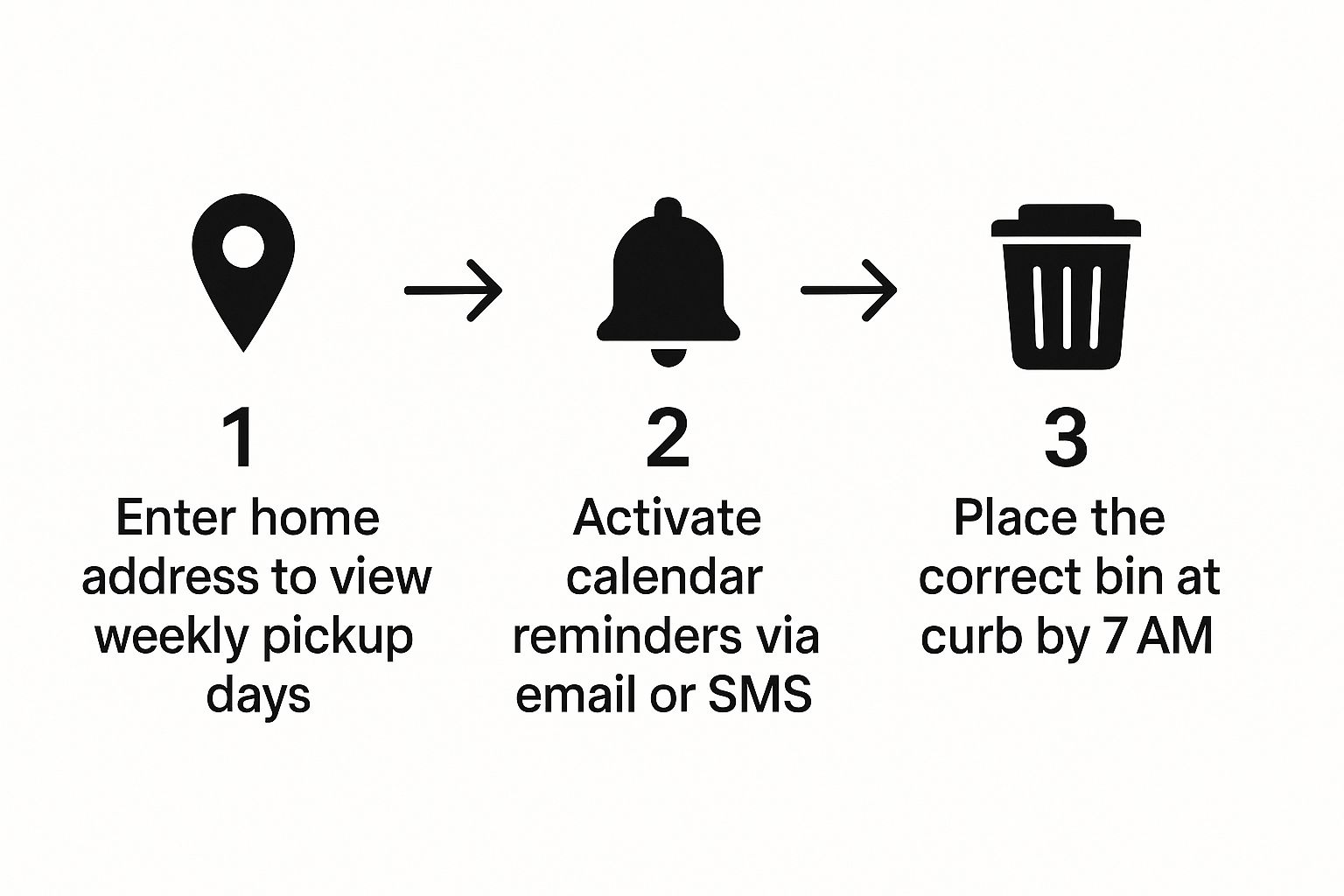
As you can see, it all comes down to finding your schedule, getting the notifications, and putting the bins out. The subscription method we're about to walk through handles the notification part for you, so you never have to think about it again.
Adding the Schedule to Google Calendar
If you live in Google Calendar, getting your collection schedule added is a breeze. First, head to the City's website and generate the calendar for your address. Once you see it, right-click on the "Get a calendar" button and choose "Copy Link Address." That puts the unique iCal link for your home on your clipboard.
Now, pop over to your Google Calendar on a desktop computer (it's much easier than on mobile for this part).
- Look for "Other calendars" on the left sidebar and click the little plus sign (+).
- From the menu that pops up, select "From URL."
- Paste that iCal link you copied into the box.
- Click "Add calendar," and you're done!
The Ottawa garbage schedule will show up as a new calendar in your list. I always recommend giving it a distinct colour, like green or grey, so it stands out from your work meetings and appointments.
Subscribing on an iPhone, iPad or Mac
For those in the Apple ecosystem, the process is just as simple. The steps vary slightly depending on whether you’re on a computer or a mobile device.
On a Mac:
- Open the Calendar app.
- From the top menu, click File > New Calendar Subscription.
- Paste the iCal link you copied from the City’s website and click "Subscribe."
On an iPhone or iPad:
- Head into Settings > Calendar > Accounts > Add Account.
- Tap "Other" at the bottom, then choose "Add Subscribed Calendar."
- Paste the iCal link into the "Server" field and hit "Next" to finish up.
The real beauty of subscribing is the automation. When a statutory holiday like Family Day rolls around and collection gets pushed back, your calendar updates automatically. No more second-guessing or checking the website.
One last pro tip: don't forget to set up a custom alert. Go into your calendar app's settings for the new garbage schedule and create a notification. I find an alert for 7 p.m. the night before is perfect. It’s a gentle reminder to wheel out the bins before you wind down for the evening, so there's no frantic rush the next morning.
Understanding Ottawa's Waste Sorting Rules
Knowing your collection day is half the battle, but what you put in each bin is just as important. Getting the sorting right is key to making sure more of our waste stays out of the landfill, which is the whole point behind the City's structured Ottawa garbage calendar. Let’s clear up a few common sorting questions I hear all the time.
Things like coffee cups, plastic bags, and Styrofoam are notorious for causing confusion. A coffee cup feels like paper, but that thin plastic lining means it belongs in the black bin, not the blue. The same goes for plastic bags and Styrofoam—they're not recyclable in our blue bins and have to go into the regular garbage.
Use the Waste Explorer Tool
When you’re standing in your kitchen holding an item and have absolutely no idea which bin it goes in, the City of Ottawa has a brilliant tool for that: the Waste Explorer.
It’s a simple search bar on their website. Just type in what you're trying to toss—"pizza box," "light bulb," "paint can"—and it tells you exactly what to do with it. No more guessing games.
This little tool is a game-changer for becoming a more confident sorter. For a broader look at how these local programs fit into the bigger picture, you can read our guide on environment and climate action in the NCR.
Special Collection Schedules
Your regular weekly and bi-weekly pickups are the baseline, but don't forget about the special collections that pop up throughout the year.
Leaf and yard waste, for instance, has its own specific schedule, typically in the spring and fall. These dates are clearly marked on the personalized calendar you download, so it's always worth double-checking. These local efforts are part of a much larger, successful national trend.
From 2002 to 2022, the amount of residential waste diverted from landfills in Canada jumped from 89 to 128 kilograms per person. That's a huge increase, largely thanks to programs like Ottawa's green bin initiative. You can discover more about these national waste diversion trends.
By sorting your daily household waste correctly and taking part in these special collections, you're doing your part to help Ottawa hit its environmental goals.
Troubleshooting Common Collection Day Issues
Even with the best calendar reminders, things can sometimes go wrong on garbage day. Let's walk through a few common snags and how to avoid them.
One of the biggest culprits for a missed pickup is timing. The trucks start their routes bright and early, so you need to have your bins out at the curb by 7 a.m. Another common mistake is placing them too close to a parked car, a snowbank, or a telephone pole, which can prevent the automated truck arm from reaching them.
You also have to be careful about what you're tossing. The city won't collect bins containing prohibited items like batteries, old electronics, or construction debris. For those tricky items, our guide on the local household hazardous waste depot is the perfect place to find out what to do.
What to Do When Holidays Disrupt the Schedule
Statutory holidays almost always throw a wrench in the regular collection schedule, and it's a frequent source of confusion.
The rule is pretty straightforward: if a holiday lands on a weekday, your collection gets bumped by one day. The same goes for every collection day after it for the rest of that week. For example, if there's a holiday on Monday:
- Monday’s route gets picked up on Tuesday.
- Tuesday’s moves to Wednesday.
- …and Friday’s collection gets pushed to Saturday.
It only takes a minute to double-check your calendar around a long weekend. That quick look can save you the headache of dragging full bins back from the curb untouched.
It's amazing to think about the scale of this operation. With paper, plastics, and organics making up a huge chunk of what's collected, the system has to be efficient. In 2021, the average Ottawa resident disposed of 427 kilograms of waste, a figure the city is actively working to reduce through diversion programs. Getting the schedule right is a small but important part of keeping the whole process running smoothly. If you're curious, you can learn more about Ottawa's waste recovery data to see just how much is diverted from the landfill.
Common Questions About Ottawa Waste Collection

Even with all the tools at your disposal, a few practical questions always come up. Here are some quick answers to the things Ottawa residents ask most often about their waste and recycling pickup.
What Time Should My Bins Be at the Curb?
The official rule from the City of Ottawa is to have all your bins at the curb by 7 a.m. on collection day.
I know it’s tempting to wait until you hear the truck coming, but routes and times can change unexpectedly. Your best bet is to put everything out the night before or first thing in the morning to make sure you don't get missed.
How Do I Get Collection Reminders From the City?
Once you’ve looked up your address using the City’s online tool, you'll see an option to sign up for weekly reminders. You can get these sent right to you via email, an automated phone call, or even a Tweet.
From my experience, the iCal feed is the most hands-off and reliable option. Subscribing to it adds the schedule directly to your digital calendar, so updates and reminders appear automatically without you having to do a thing.
How Do Holidays Affect My Collection Day?
This is a classic point of confusion. If a statutory holiday lands on a weekday, your collection—and everyone else's for the rest of that week—gets bumped by one day.
For example, if a holiday falls on a Monday, Monday’s pickup moves to Tuesday, Tuesday’s moves to Wednesday, and so on, with Friday's collection happening on Saturday. It’s always a good idea to double-check your personalized Ottawa garbage calendar around holidays just to be safe.
My Garbage Wasn't Picked Up. What Should I Do?
First, run through a quick mental checklist: Were your bins out by the 7 a.m. deadline? Did you put any non-compliant items in them by mistake?
Collection crews can be working as late as 6 p.m., so don't panic if it's late afternoon. If your bins are still full after that, you can report a missed collection online through the City of Ottawa’s website or by simply calling 3-1-1.
And if you're sorting out other municipal utilities, our guide to City of Ottawa water and sewer services has some helpful information.
For the latest news and guides on living in Ottawa and the National Capital Region, trust ncrnow. Visit us at https://ncrnow.ca.
About The Author